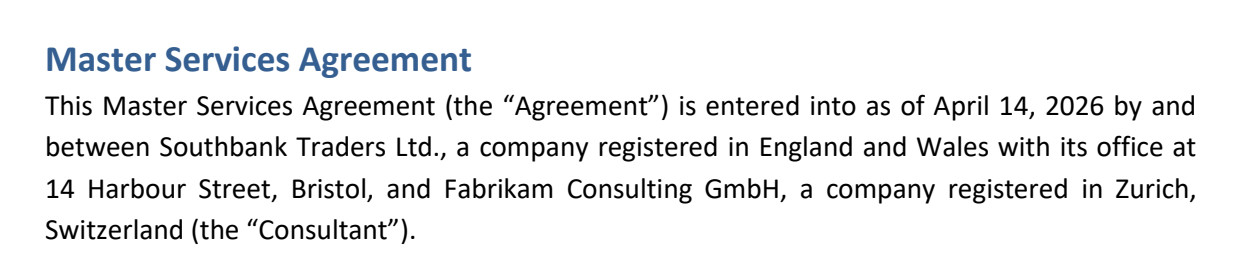
Your font and layout stay the same

Edit PDF online

Tap or click a line and type. New words appear in the same font as the words around them. You can also sign the file, fill out a form, and black out anything you need to hide.

Choose a PDF

or drag it here · up to 20 MB and 50 pages

No file handy? Try a sample:ContractInvoiceReport

How it works

Edit PDF online
  1. Open your PDF

    Choose a file or drag it into your browser window. There's nothing to install.

  2. Tap or click the text and type

    A text box opens for your edit. When you finish, the paragraph reflows on its own.

  3. Download your file

    Compare shows exactly what changed. If it all looks right, download the result.
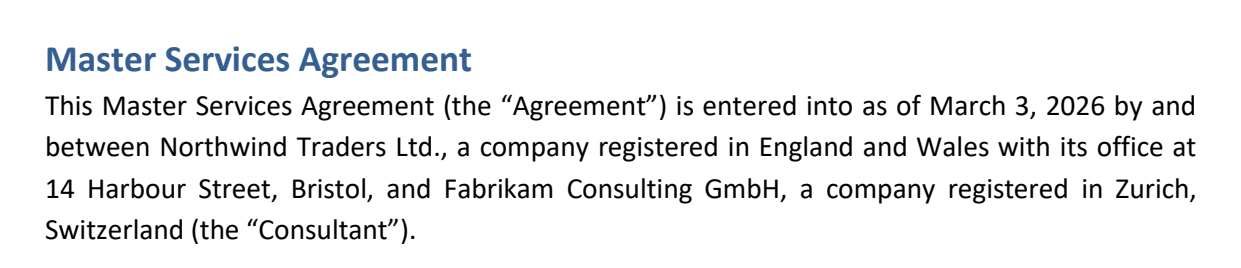
The edit matches the original

We changed the date and the company name. Drag the line to compare: the font and spacing are the same, and nothing else moved.

If a change can't be made cleanly, for example when we can't find a letter the font is missing, the editor tells you and leaves the text as it was. It won't swap in a different font.

Before After BeforeAfter

Questions

Is it free?

Yes, during the beta. All the tools are free, and your downloads have no watermark.

Will the edited text stand out?

No. New letters use the document's font, and the line keeps its spacing. After each edit, the editor compares the page with the original.

Can I edit a scanned PDF?

Not the text itself. A scan is a picture of a page, so it has no separate letters to change, and the editor will tell you so. You can still sign it, add text, mark it up, or black out part of the page.

More questions? See Help.