No more font or formatting problems after edits

Rotate, delete and reorder PDF pages

Turn a page the right way up, delete the ones you don't need, drag the rest into order.

Choose a PDF

or drop it here · up to 20 MB and 50 pages

No file at hand? Try:ContractReport

How to organise the pages of a PDF

A page turned and the page to delete in a two-page document.

  1. Open the page strip

    Press Strip on the left. Under each thumbnail are buttons to turn it left or right and to delete it.
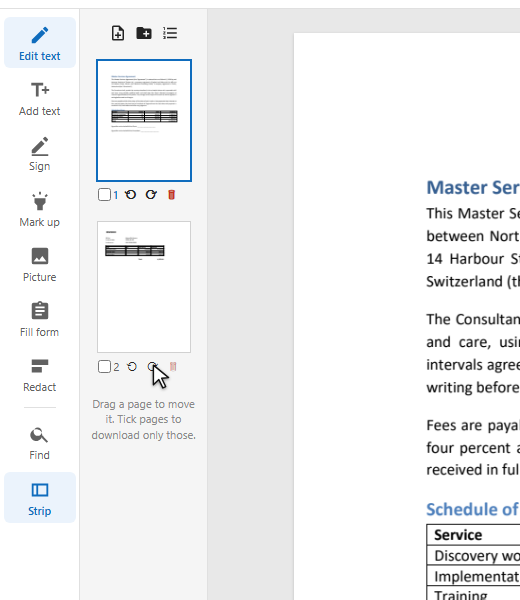
    The strip with the turn button of the second page under the pointer
  2. Turn a page

    Press ⟲ or ⟳ under the page: it turns a quarter.
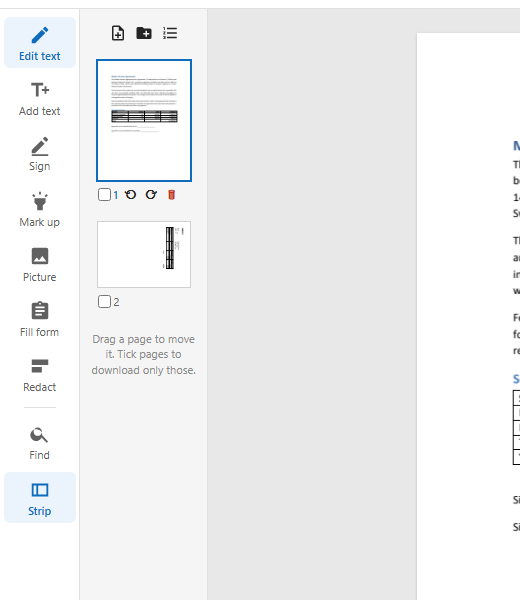
    The second page turned on its side
  3. Delete or move pages

    The bin button deletes a page. Drag a thumbnail to move its page. The buttons above the strip add a blank page or the pages of another PDF.
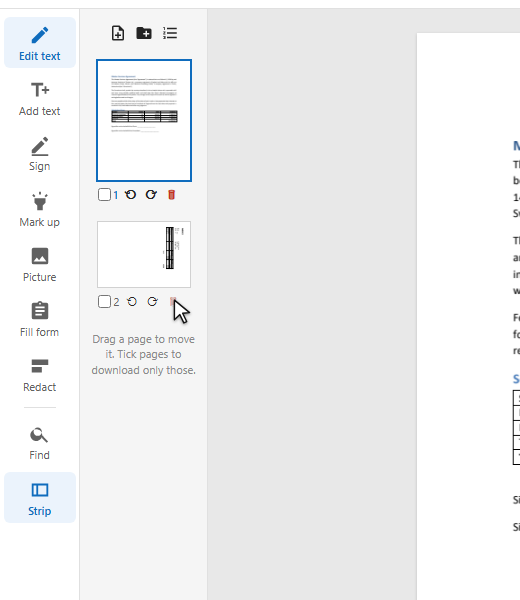
    The pointer on the delete button of the second page

What happens to the pages

Pages are turned, moved and deleted as whole pages: nothing on them is re-drawn or converted.

A turned page in the strip
  1. Turned, not re-drawn

    A page is turned by a quarter: its text stays text and its pictures stay sharp.

  2. Order by dragging

    Drop a thumbnail on another page's place, and the pages move round it.

  3. Blank pages

    Add a blank page of the same size after the ticked pages, or at the end.

  4. Every step can be undone

    Each turn, move and delete is one entry in the list of edits.

What you get

Turn

Left or right, page by page.

Delete

One click per page.

Reorder

Drag thumbnails.

Insert

A blank page or another PDF.

Extract

Tick pages and download only those.

Undo

Any step, back and forth.

Good to know

Extract pages

Tick the pages you want and download: the window offers “Only the pages picked”.

Up to 50 pages

The browser editor keeps documents of up to 50 pages.

Scans the wrong way up

Turning a scanned page is the same: a quarter turn per click.

Questions

How do I rotate one page of a PDF?

Press Strip, then the turn button under that page. Only that page turns.

How do I delete pages from a PDF?

Press Strip and the bin button under each page you don't need.

Can I save only some pages?

Yes: tick them in the strip and choose “Only the pages picked” when you download.

Other tools