How to compress a PDF
Open the PDF and press Download
Open the file, make any changes you need, and press Download.
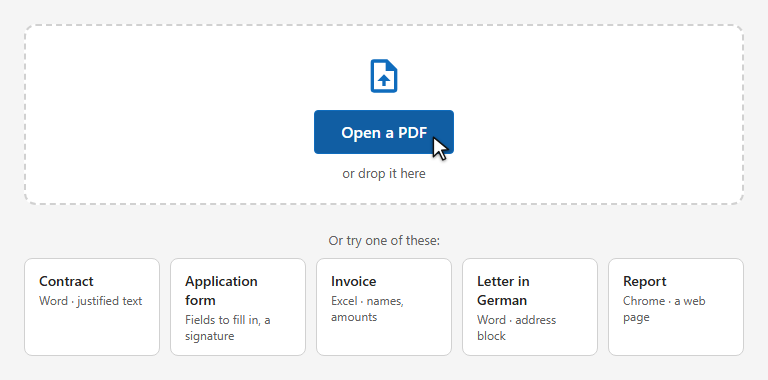
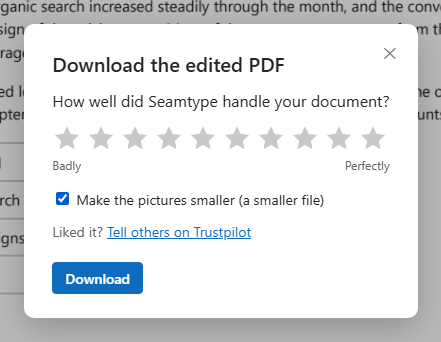
Tick “Make the pictures smaller”
Tick the box and download. The file is made smaller as it is saved.
No more font or formatting problems after edits
Make the file smaller for email or a form upload. Pictures get lighter; text and fonts stay as they are.
Open the file, make any changes you need, and press Download.
Tick the box and download. The file is made smaller as it is saved.
In most large PDFs the weight is in the pictures: photos and scans kept at a resolution far above what the page shows. Seamtype makes those pictures lighter and leaves everything else alone.
Each picture is scaled to 150 dots per inch of the place it takes on the page — sharp on screen and in print — and saved as JPEG.
Text stays text and fonts stay fonts: nothing is turned into pictures, so the file stays searchable.
If the smaller pictures would not make the file lighter, it is saved as it was.
Compress the edited document in the same download.
For email limits and upload forms.
Text and fonts as they were.
No gain, no change.
Good on screen and on paper.
In one go.
In the browser, on a computer or a phone.
A file with no pictures is already small; compressing it changes little.
Scanned pages are pictures and get much smaller; keep the original if you need full resolution.
The browser editor opens files of up to 20 MB.
Pictures are kept at 150 dpi of their size on the page — sharp on screen and in print. Text and fonts are not touched.
It depends on the pictures: a scanned or photo-heavy PDF often shrinks several times; a text-only one hardly at all.
Yes. Only pictures change.